Insights ·
Gemini and AI Mode user agents: a log test found “Google” and “Google-Lens”
The short version
Gemini and AI Mode user agents are not on Google’s published crawler lists, but a log test published on November 3, 2026 found them: Gemini fetched a test page with the user agent “Google” and AI Mode with “Google-Lens”. In that test neither product rendered the page; each requested only the HTML document, not its scripts, stylesheets or images. It is one practitioner’s observation, not Google documentation, but it points to two practical checks: make sure your firewall does not block those short user-agent strings, and make sure your main content is in the server HTML.
What user agents do Gemini and AI Mode use?
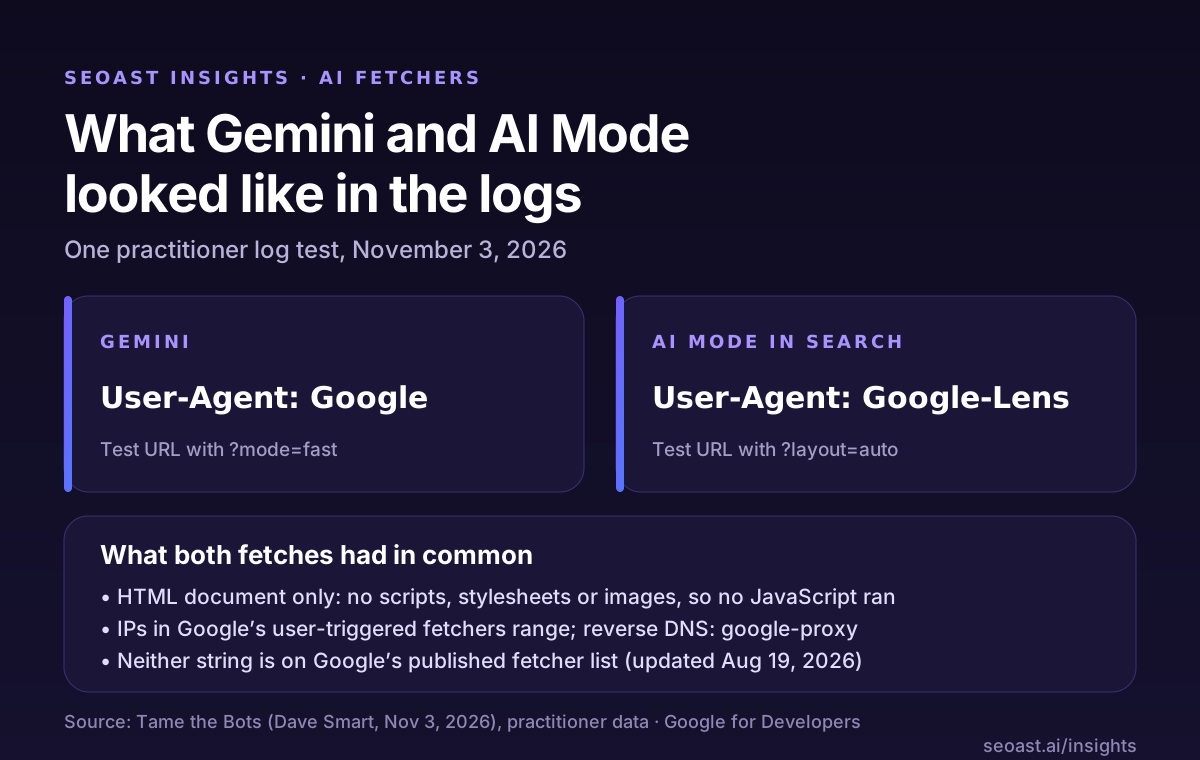
On November 3, 2026, technical SEO consultant Dave Smart of Tame the Bots published a log test. When he asked Gemini to fetch a test URL, the request reached his server with the user agent string “Google”. When he did the same in AI Mode in Google Search, the request arrived as “Google-Lens”. Both products used their string consistently across his tests.
Neither string is on Google’s published list of user-triggered fetchers, which was last updated on August 19, 2026. That list does cover Gemini Notebook (Google-GeminiNotebook) and Google-Agent, but not plain Gemini chats or AI Mode. So for now the best evidence is this test, not Google documentation.
SEOAST Impact Rating: A3, good to know. It is one practitioner’s observation and Google has not documented these user agents. The Impact Rating is SEOAST’s own editorial rating, not a Google severity level.
How the Google-Lens and Google user agents were found
Smart first noticed requests with the bare “Google” string in log files. Some came from IP addresses in the range Google publishes for its user-triggered fetchers, and reverse DNS pointed to google-proxy hostnames on google.com.
To tie each string to a product, he gave Gemini a URL with a made-up parameter (?mode=fast) and looked for that exact request in his logs. He repeated it in AI Mode with a different parameter (?layout=auto). The Gemini request carried “Google”; the AI Mode request carried “Google-Lens”. The requests appeared to be triggered by a user’s prompt and seemed to come from locations near the user.
Do Gemini and AI Mode run JavaScript or follow robots.txt?
In this test, neither rendered the page. Each requested only the main HTML document, not images, scripts or stylesheets. If your copy only appears after JavaScript runs, these fetches would have seen the empty shell, not your content.
Robots.txt is an open question. The test does not address it, and Google does not document these two strings. Google’s page for its documented user-triggered fetchers says those fetchers generally ignore robots.txt rules because a user asked for the page. Whether that applies here is not confirmed, so do not rely on a robots.txt group to control these fetches.
Smart also reported one client whose firewall flagged the short “Google” string. A bot rule that treats an unusual user agent as suspicious can block a real request a user started.
What to check on your site this week
These checks follow from the test and from Google’s fetcher documentation.
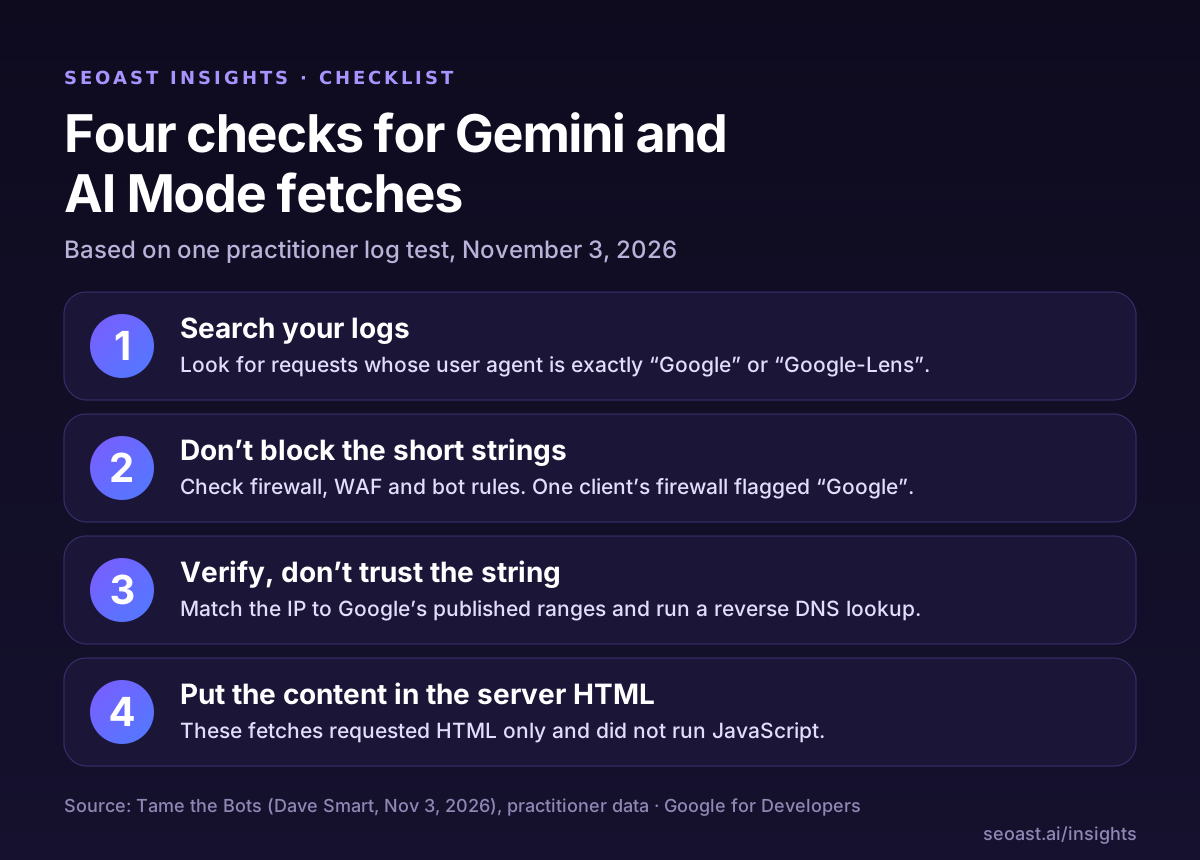
- Search your server or CDN logs for requests whose user agent is exactly “Google” or “Google-Lens”.
- Check that your firewall, WAF or bot-management rules do not block those short strings by default.
- Verify such requests by IP range and reverse DNS against Google’s published ranges; a user-agent string is easy to fake.
- Make sure the main content of important pages is in the server HTML, because these fetches did not run JavaScript.
What SEOAST checks, and what it does not
SEOAST audits one URL from its server HTML and never runs JavaScript, which is close to what these fetches saw. Its render dependency check measures how much visible text the first response carries, and its js_only_content check flags, heuristically from the raw HTML, pages whose main content appears only after JavaScript runs. It does not run a browser.
SEOAST does not test the “Google” or “Google-Lens” user agents, does not see your firewall rules and does not read your server logs. It does not query ChatGPT, Perplexity, Gemini or Google AI Overviews, does not track citations and does not read your analytics.
Questions
What user agent does Gemini use to fetch web pages?
In a November 3, 2026 log test by Tame the Bots, Gemini fetched a test URL with the user agent string “Google”. Google has not documented this.
What is the Google-Lens user agent?
In the same test, AI Mode in Google Search fetched pages with the user agent “Google-Lens”. It is not on Google’s published list of user-triggered fetchers.
Does AI Mode render JavaScript when it fetches a page?
Not in this test. Both Gemini and AI Mode requested only the HTML document, without scripts, stylesheets or images.
How do I verify that a “Google” request is real?
Check the IP address against Google’s published ranges and run a reverse DNS lookup. The user-agent string alone can be faked.
Sources
- Gemini and AI Mode Fetch with Google and Google-Lens User-Agents — Tame the Bots
- List of Google user-triggered fetchers — Google for Developers
- Daily Search Forum Recap: November 4, 2026 — Search Engine Roundtable